We built iBannerly because producing interactive banners took too long and went wrong too often — not because of design, but because of everything around it. Here is how the product approaches the problems we kept running into.
"We need it in twelve sizes"
Smart Resize turns one finished banner into the other sizes you pick, rescaling every hotspot so it stays on its product. Each new size is a normal banner you can check and adjust, and the whole set downloads in one go.
"The products and prices keep changing"
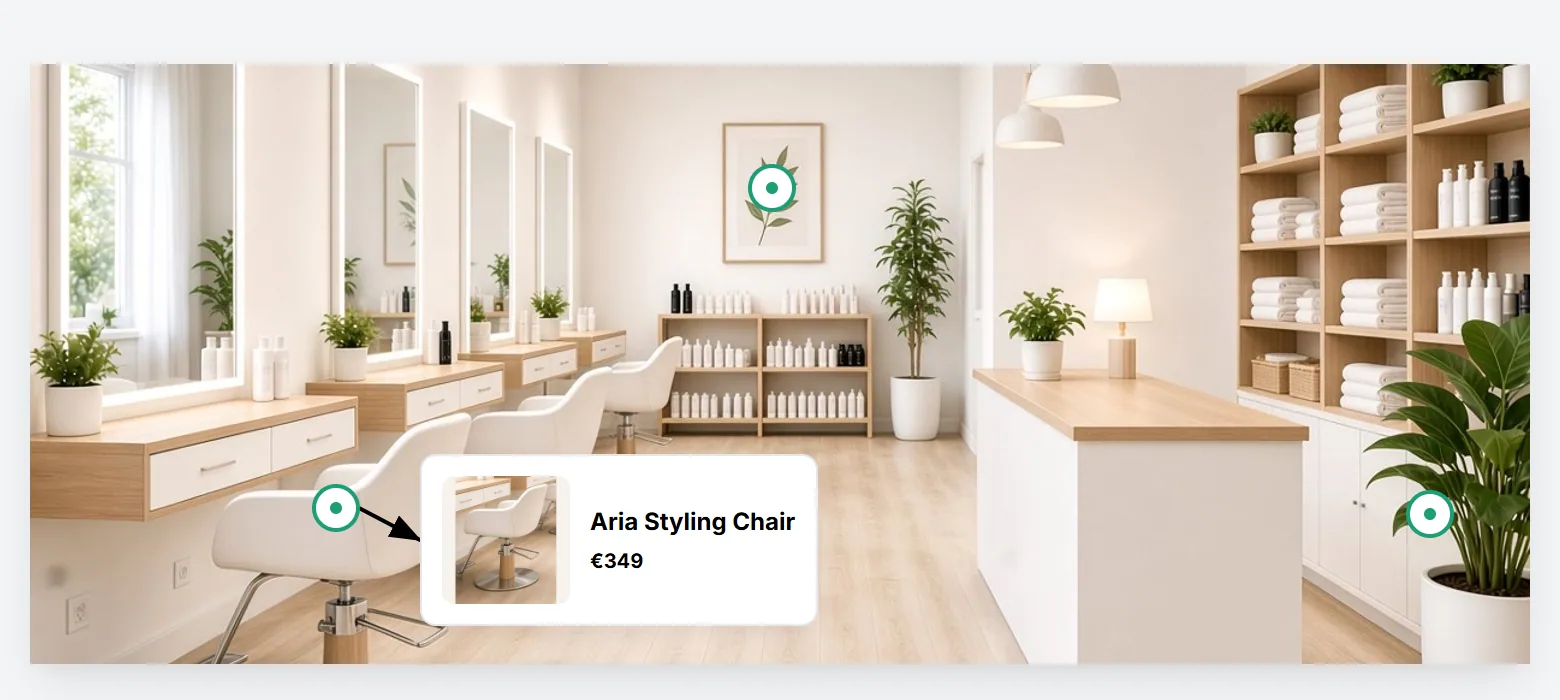
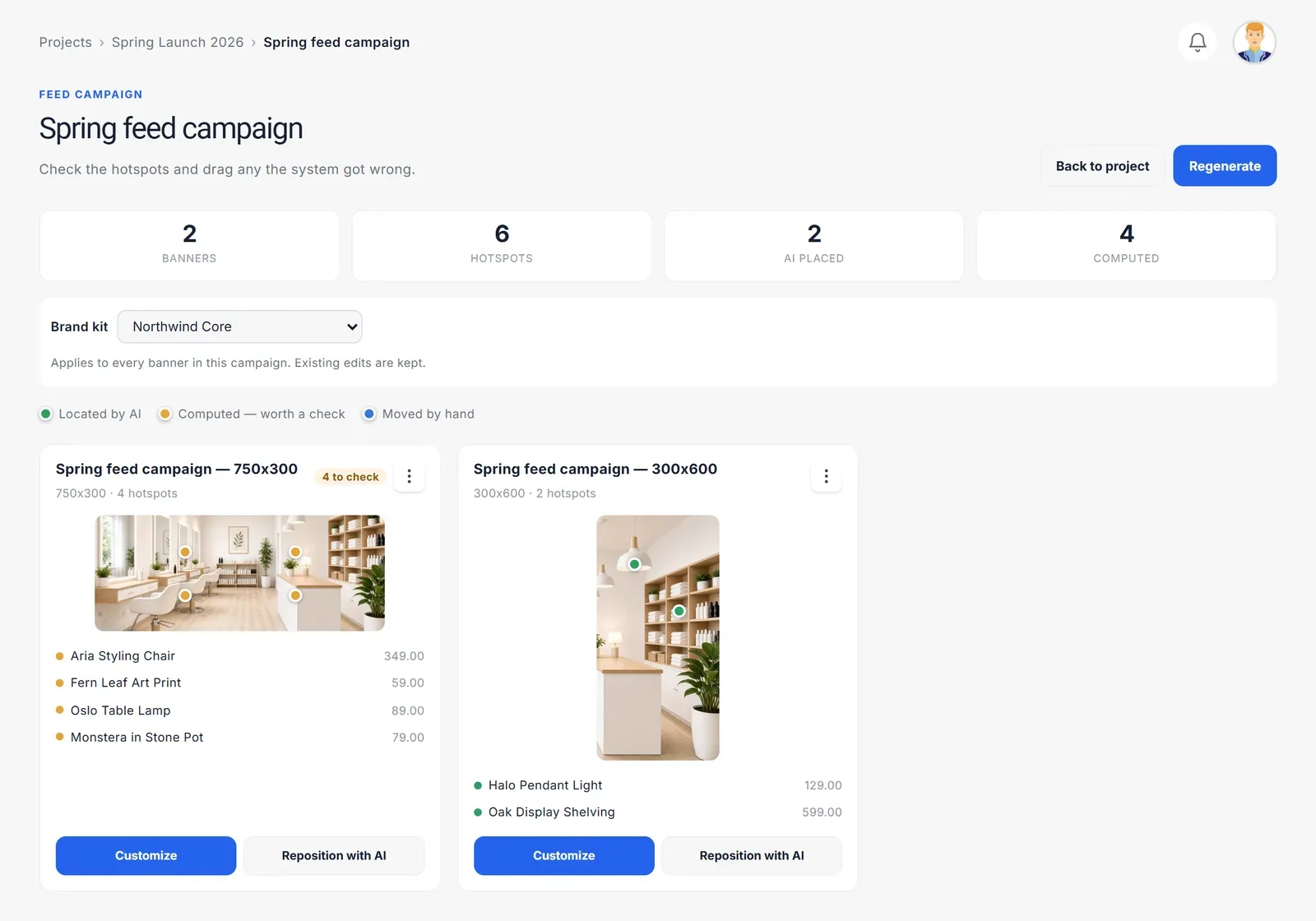
Import a product feed — a CSV, a Google Shopping feed, or your shop's product data — and a campaign builds the banners from it: one hotspot per product, with the name, price, photo and link filled in from the feed. When the catalogue changes, import it again and regenerate instead of editing banner by banner.
"Every designer does it a little differently"
A brand kit defines the hotspot style, the tooltip template, the type styles and the connector lines once, for the whole team. New banners and campaigns start from it, and the settings you lock can't drift.
"Which version did the client approve?"
Send for review gives your client a link to the real, working banner. They pin comments where they apply and approve or request changes; the decision is recorded against that version, and you are notified.
"The ad server rejected the upload"
Every banner is built for its ad server — Google, Flashtalking or Embedded HTML5 — and exported with what that platform expects: click tags, manifest and size information included. For your own website there is a copy-and-paste embed code.
"Where do the hotspots go?"
In feed and quick campaigns, iBannerly can look at each image and place the hotspots on the products for you. Anything it isn't sure about is marked for you to check — a wrong hotspot is worse than one you move by hand, so it never guesses silently.
What we deliberately don't do
We don't autoplay, we don't cover the page, and we don't change the size of the slot you booked. Every interaction in an iBannerly banner is started by the viewer.
Try it
You can start free — build, edit and preview banners with no credit card — and see the format in action in the live demo. When you are ready to export and scale up, the plans explain what each tier includes.